The face changed in my ABCDEFG I Need Money AI video. What do I do?
Updated:
Short answer
The model loses a face it can't see well, and this trend's extreme expressions pull at it further. Use a sharp, well-lit photo facing the camera, with the face taking about a third of the frame. No sunglasses, no heavy filters. Run the free 5-second preview to test a photo before you commit.
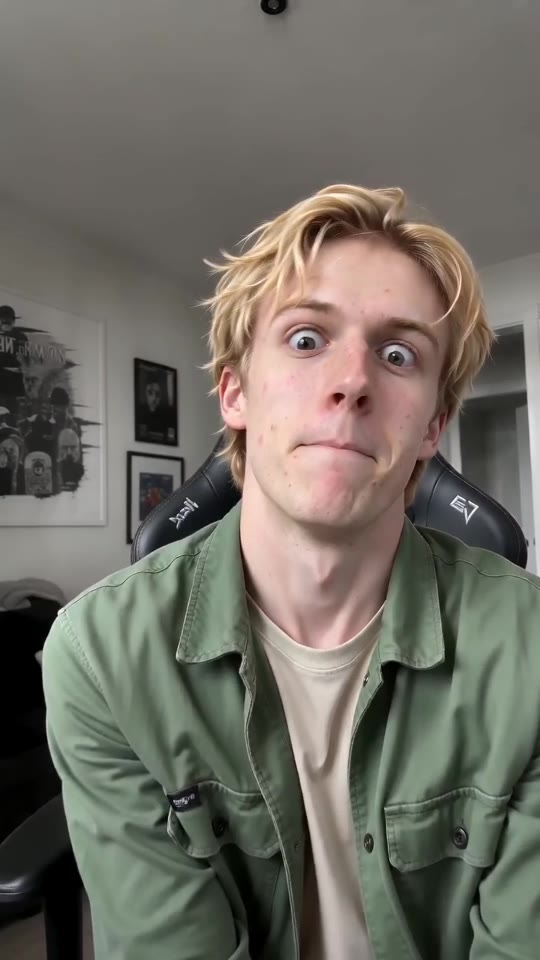
Why it happens
- Tiny face: full-body and group photos leave the face with too few pixels.
- Heavy filters or beauty apps: what the model works from stops matching your real face.
- Dark or side-on photos: if only half the face shows, the model guesses the other half.
- Big expressions: bulging eyes and stretched mouths bend the face shape briefly. It's part of the gag; by the lean back the face should be itself again.
Quick routine
- Swap in a different photo that follows the photo guide.
- Do a free preview and set the face next to your photo.
- Render the full video last, as every full render costs 100 credits.
- Not fixed? Write to support@tiptoeinginmyjordans.dev and include the video link.
Questions people ask
Does a different face mean my video failed?
It doesn't. Failed means a video that never completed, and the credits for it come back by themselves. A completed video with another face is a normal outcome.
Would a better camera fix it?
Lighting and angle matter more. Window light and a straight-on phone shot beat a dim photo with more resolution.
Is sending more than one photo of the same person possible?
No, the template uses a single photo, so go with the clearest.
Put yourself in ABCDEFG I Need Money
Drop in a photo of an adult or a pet and get a lip-sync clip of your own. It's watermark-free, and you're never signed up for a subscription.
Make my video