Can the original sound go on an I Wanna Love You video?
Updated:
Short answer
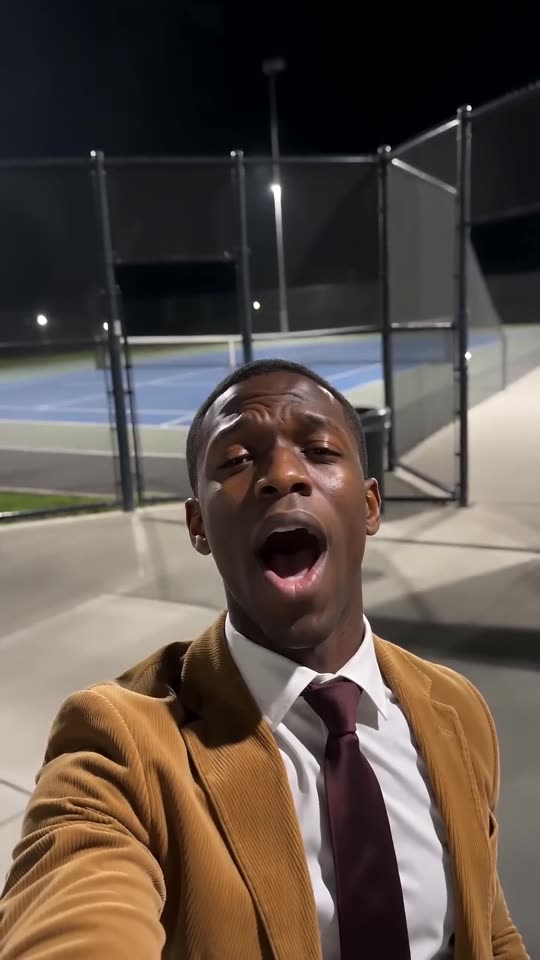
Yes. It can. Pacing copies the viral clip, which puts the selfie, the raised hand and the reach for the lens right where that sound wants them. The file holds only a wordless AI instrumental. After downloading, add the original sound in TikTok or Reels, starting from zero.
Four steps to the sound
- Download the silent copy from My videos.
- Begin a new TikTok or Reels post with the clip.
- Choose Add sound and search the app's library for the I Wanna Love You sound.
- Begin it at zero so the first note meets the first open mouth.
Why the timing works
The 10-second video is generated with the viral clip as a timing guide, so the singing, the hand rising near the five-second mark and the push at the lens near the end sit where the sound puts them. A slip of a few frames is still possible.
The audio in our file
The download has its own AI instrumental, created along with the picture, and no words. The trend's song is a different artist's recording. Apps license their sound libraries for use in-app, and that is why choosing the sound there is the expected way. This is not legal advice, and what you post stays your responsibility.
How to put the original sound on your video in TikTok
Every video you make here comes with an AI-made soundtrack of its own. If you would rather use the trending sound, add it inside TikTok when you post. You can also grab the version without music from My videos and lay the original sound over that.
- Open the original post of this trend in TikTok, tap the sound name at the bottom of the screen, then tap Use this sound.
- Tap Upload and choose the video you downloaded from us.
- Open Volume and turn the video's own sound down to 0, or use the Download without music version from My videos.
- To line the clip up with the beat, trim the sound so it starts at 0 seconds, then post.

Need the sound to start somewhere else? This short video shows how to trim it.

Video: How To Trim Sound On TikTok 2026 (Very Easy) by Software Solutions on YouTube
Questions people ask
Does the preview fit the sound as well?
No. The 5-second preview compresses the beats so you can judge the face. The original pacing exists only in the 10-second video.
Why does nobody sing in my file?
Because it contains only an instrumental, leaving the original sound free to go on top. A silent copy is there if you want it.
Which sound is the right one?
The short cut that the viral cat videos use. The complete song opens differently and will not line up.
Give the serenade your own face, or fur
Add a single photo and a suited singer performs beside a floodlit court. The full video has no watermark and nothing here is a subscription.
Make my video