How do I turn my pet photo into a Singing Pet video with AI?
Updated:
Short answer
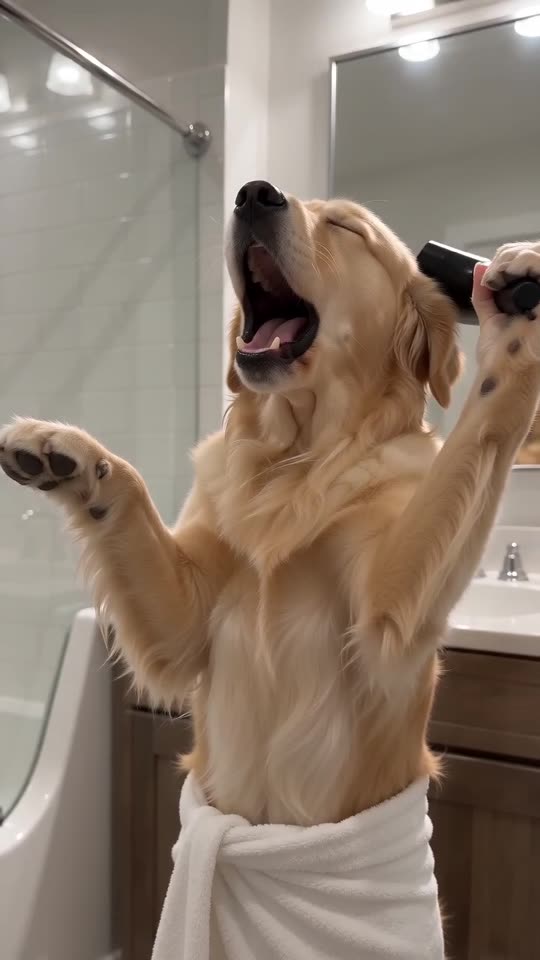
Upload one pet photo and Tip Toe AI builds the bathroom opera around it. Check the free 5-second preview, then spend 100 credits on the 10-second 720p video. You never write a prompt, and closing the tab mid-render is fine.
Step by step
- Open the [generator](/singing-pet#generator) and drop in your pet photo.
- Choose the shape. TikTok, Reels and Shorts want 9:16; YouTube and desktop want 16:9.
- Pick a bathroom, tick the photo-consent box and sign in through Google.
- Run the free preview (5 seconds, 480p) and look at the face.
- Go full length for 100 credits and save the MP4 when it is ready.
What's already decided
Towel, hair dryer, front-facing camera and the order of the moves are fixed. Your photo says who sings, and the bathroom is your only styling choice.
Because the beats always come in the same order, you get the trend rather than a random clip. Faces and motion still shift a little from run to run.
After it finishes
The video lands in My videos, ready to download or share by link. For the trending sound, follow the sound guide.
Questions people ask
Is there anything to type?
Never. The scene and camera come pre-built, and you only choose the photo, the format and the bathroom.
If I close the page, does the render stop?
No. It carries on in our servers, and your finished video will be waiting in My videos.
9:16 or 16:9, which one should I pick?
9:16 for TikTok, Reels and Shorts, 16:9 for YouTube or a computer screen. The free preview works with both.
Can I add a second pet to the duet?
Not in this template. It is built around one singer and one photo.
Give your pet its own bathroom opera
Send one pet photo and a towel-wrapped soloist comes back. No watermark, nothing to subscribe to.
Make my video