How do I add the trending sound to a Singing Pet video?
Updated:
Short answer
Save the silent download, open TikTok, choose Add sound and select the trend's track, which TikTok lists as “original sound – reggie”. Start it at the first frame. The mouth follows the same beats as the viral 10-second clips, so no trimming is needed.
Why it lines up
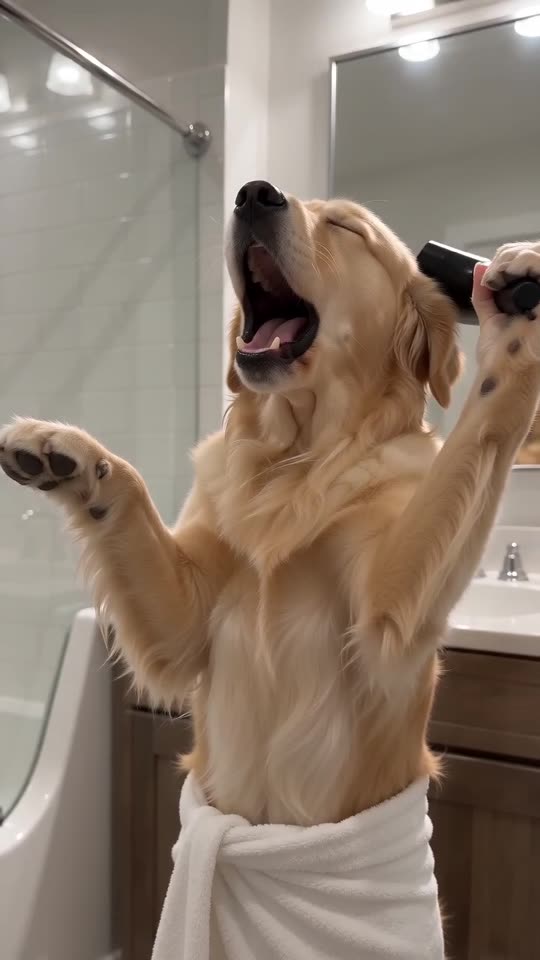
The template follows the timing of the viral clips, which are almost all about 10 seconds long, so the high notes, the mic moment and the last long note land where they do in the originals.
What plays in your video
The full video comes with an AI-made orchestral swell and a faint bathroom echo. It has no voice and does not include the original recording or any song. Choose the silent download when you plan to add the trending sound, so two tracks don't clash.
If it drifts
- Make sure the sound starts at the first frame.
- Use the silent download.
- Different uploads of the sound are cut slightly differently; nudge it a few frames in the editor.
How to put the original sound on your video in TikTok
Every video you make here comes with an AI-made soundtrack of its own. If you would rather use the trending sound, add it inside TikTok when you post. You can also grab the version without music from My videos and lay the original sound over that.
- Open the original post of this trend in TikTok, tap the sound name at the bottom of the screen, then tap Use this sound.
- Tap Upload and choose the video you downloaded from us.
- Open Volume and turn the video's own sound down to 0, or use the Download without music version from My videos.
- To line the clip up with the beat, trim the sound so it starts at 0 seconds, then post.

Need the sound to start somewhere else? This short video shows how to trim it.

Video: How To Trim Sound On TikTok 2026 (Very Easy) by Software Solutions on YouTube
Questions people ask
Is a different track allowed?
Yes. The video has no words, so any track works. The timing just matches the trending sound best.
Is the sound included in the video?
No. You add it inside TikTok or Reels, where the platform licenses it for use in posts.
Why isn't the original sound in the clip to begin with?
It is someone else's recording, and the AI model we use refuses audio that sounds like copyrighted material. Adding it in the app is the safe route.
Give your pet its own bathroom opera
Send one pet photo and a towel-wrapped soloist comes back. No watermark, nothing to subscribe to.
Make my video