Unforgettable car prompt for Seedance: a timed shot list without brands
Updated:
Short answer
Paste the prompt below into Seedance and add your photo as the reference image. It reads as a short timeline with a camera line and a sound line, and names no car brand, card game or song, because tools filter them. Set the first line to your plan's clip length, or use Tip Toe AI.
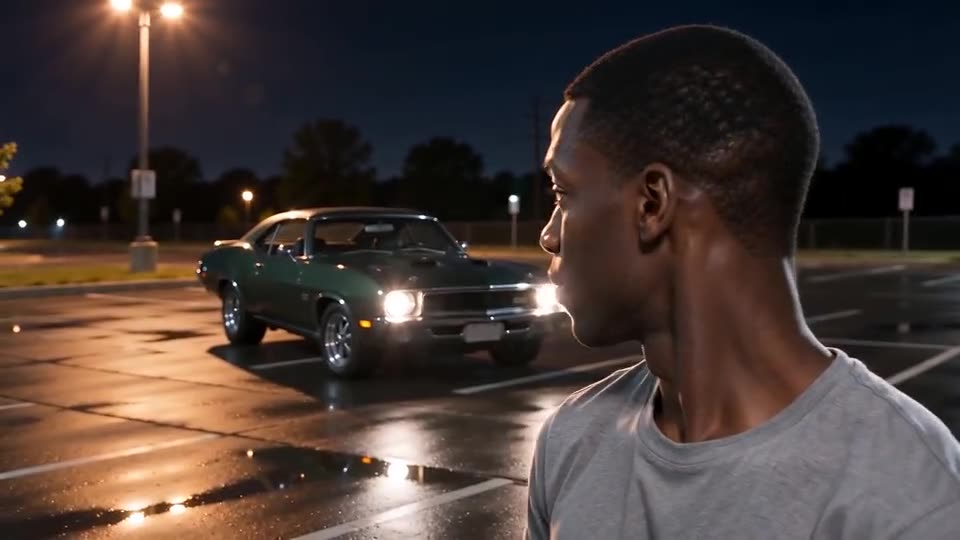
The prompt
Make a 9-second clip from the reference image, in the style of a casual phone video filmed by a friend standing close to the subject.
Image 1 is the SUBJECT: keep the face, skin tone, hair and clothing. If the subject is an animal, a toy or a drawn character, keep its look and let it stand upright and hold the cards.
Setting: a wide, empty lot of cracked asphalt at the edge of the desert at golden hour, pink and orange sky, far-off hills, wooden power poles. Nothing behind the SUBJECT at first. No logos and no readable text except the numbers on the cards.
Timeline: 0-1.5s the SUBJECT turns their head and looks into the lens, calm and knowing. 1.5-3.3s the SUBJECT swings up two plain green cards, a 2 and a 4, so close to the lens that they hide the face. At 3.4s the cards drop out of frame in one move and a generic red two-door sports coupe with no badges is suddenly parked behind the SUBJECT, headlights on. 5-6s the SUBJECT glances back at the car. 6-9s the SUBJECT turns to the camera with a calm half-smile and a small wave of the fingers.
Camera: one handheld phone shot at face height, chest-up, no cuts.
Sound: slow, smooth late-night beat, a gentle whoosh as the cards move, a beat landing at 3.4s, no singing.
Realistic motion, no captions, no logos, no watermark.
Tips for using it
- Add your photo as Image 1, and label it Image 1 if your tool asks for tags.
- Keep car brands, card game names and song titles out of the timeline. They tend to be filtered, so the timeline shows the action and nothing more.
- Plans and limits differ between tools and change often. Set the first line to the clip length and shape your plan allows.
Questions people ask
What model generates the videos on this site?
The videos here come from Seedance 2.0 Mini by ByteDance through an API. This page is independent, though, and not affiliated with ByteDance or the people who posted the trend.
Will the clip come out identical to the trend?
No. Every tool and model version reads the timeline differently, and your photo changes the face and the movement, so use the prompt as a starting point.
Is a prompt needed to make this on Tip Toe AI?
No. Tip Toe AI runs a fixed scene: add one photo and press the make button.
Make your own Unforgettable Car video
Upload one photo and make your own video. No subscription, no watermark.
Make my video