Wipe Me Down: a general AI video tool, or a one-purpose template on Tip Toe AI?
Updated:
Short answer
A general AI video tool leaves every decision to you: write the text, tune the settings, dodge filters, and still struggle to land each beat on a sound. Tip Toe AI is narrower: it turns your photos into the paced Wipe Me Down clip, with nothing to write. For clips of your own invention, reach for a general tool.
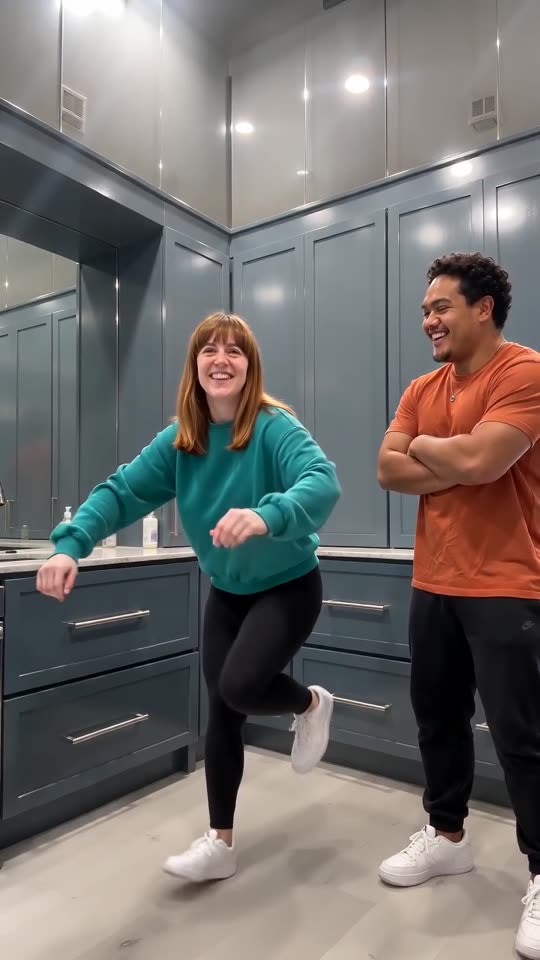
Head to head
- Control: a general tool lets you rework any shot, while Tip Toe AI presets the scene so you only choose photos, a kitchen, outfits and a shape.
- Pacing: written instructions can list beats but seldom land them on a sound. Tip Toe AI feeds the viral clip to the model as a motion guide.
- Likeness: with text only, keeping each person or pet recognisable takes many tries. Tip Toe AI starts from your photos.
- Price: read each tool's current plans. Tip Toe AI bills by the video in one-time packs; nothing renews.
Choosing
A general tool suits your own story, many different clips or full camera control. Tip Toe AI suits this one clip with your two photos, quickly. If you prefer writing the instructions yourself, the Kling, Veo and Seedance pages will help.
Questions people ask
Does Tip Toe AI run on a general AI model?
Yes. A general video model, accessed through an API, renders the clips within a preset scene; the Terms of Service say which model.
Is there a text field on this site?
No. The routine is preset and nothing needs typing; only the kitchen and the outfits are preset choices. That keeps every result close to the trend.
Is there a reason to skip a general tool?
Not necessarily. If you like directing each shot yourself, a general tool wins. We are built for people who just want the finished scene from their photos.
Make a Wipe Me Down video of your own
Add two photos and the pair of you take turns stomping across a blue-grey kitchen. Nothing renews, and the finished video carries no watermark.
Make my video