What song is in the Bby Wow Guy trend, and does the video have sound?
Updated:
Short answer
Many Bby Wow Guy edits use “BbY WOW” by KAROL G with Judeline and rusowsky. Our video does not contain that song: it carries AI-generated party music and chatter with no singing. Put the trending sound on inside TikTok or Instagram when you post.
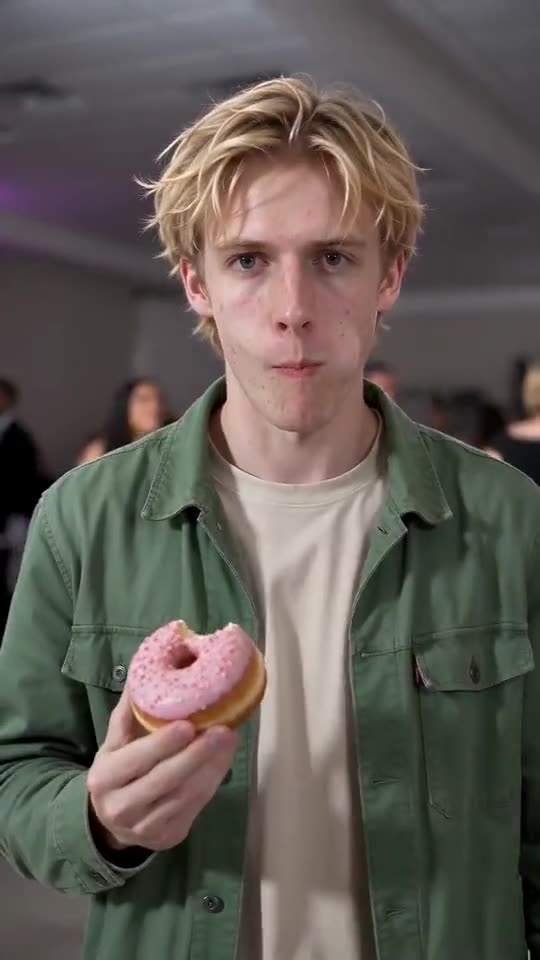
What our video sounds like
The full video has an upbeat, bouncy Latin-style dance beat with a heavy bass, plus muffled party chatter and laughter, all generated together with the picture. There is no singing, no lyrics and no speech, and the sound differs between runs.
The timing follows the original clip second by second, so the trending sound fits when you add it. The music itself is ours, not the song.
Adding the trending sound in four steps
- Download the version without sound from My videos, or keep the one with sound if you prefer it.
- Start a new post in TikTok, Reels or Shorts and pick the video.
- Search the app’s sound library for the trending sound.
- Set the volume and post.
Not the same as the dance trend
The same song also has a choreographed dance trend performed by groups. It is a different meme with a different video. This tool makes the walk-up, bite and stare clip, not the choreography.
A note on licensing
Platforms license their sound libraries for use inside their own apps, so choosing a track there is the intended route. We cannot give legal advice, and you stay responsible for what you post. Tip Toe AI is independent and has no link to any artist, label or the people who posted the clip.
How to put the original sound on your video in TikTok
Every video you make here comes with an AI-made soundtrack of its own. If you would rather use the trending sound, add it inside TikTok when you post. You can also grab the version without music from My videos and lay the original sound over that.
- Open the original post of this trend in TikTok, tap the sound name at the bottom of the screen, then tap Use this sound.
- Tap Upload and choose the video you downloaded from us.
- Open Volume and turn the video's own sound down to 0, or use the Download without music version from My videos.
- To line the clip up with the beat, trim the sound so it starts at 0 seconds, then post.

Need the sound to start somewhere else? This short video shows how to trim it.

Video: How To Trim Sound On TikTok 2026 (Very Easy) by Software Solutions on YouTube
Questions people ask
Why is the original song missing from the video?
Popular songs are copyrighted. Using one inside TikTok or Instagram falls under the platform’s own licence, so we keep it out of the file.
Is there an audio upload on the site?
No. Add any sound afterwards in an app or a video editor.
Does the preview have sound as well?
The sound described here belongs to the full video. Play your preview to hear it before you spend credits.
Make your own Bby Wow Guy video
Upload one photo and make your own video. No subscription, no watermark.
Make my video