Smalltown Boy AI dance with a friend: how do I make it with two people?
Updated:
Short answer
Put your photo in the Lead box and your friend's photo in the Partner box. You scream at the lens with your hands on your head while they dance behind you, then you swap and end side by side. Ask your friend first, then run the free 5-second preview.
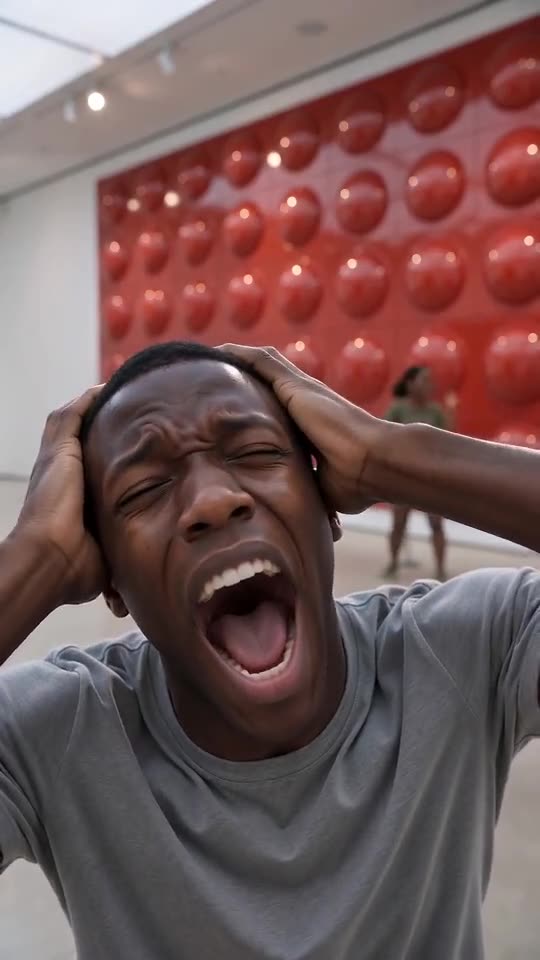
Friend videos made with Tip Toe AI
- Made with Tip Toe AI
Two friends in a gallery
A young man clutches his head and screams at the lens while a young woman dances behind him; they swap on a hard cut and end side by side, dancing in front of a glossy red gallery wall.
Backdrop: Red gallery
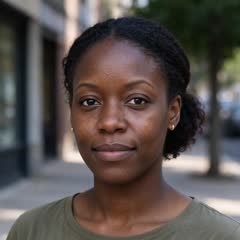
Input photos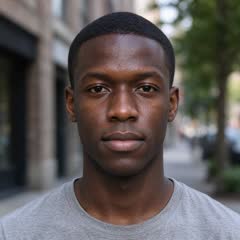
15s · 720p · AI-generated audio · Made 2026-10-21
Generated with Tip Toe AI
AI-generated retro synth-pop backing plus the characters’ own wails. No lyrics, not the original song.
Example people and pets are fictional, and the input photos are AI-generated.
Each example here is a real run of this generator on a pair of photos; none of them is a TikTok download.
Who plays which role
- You as the Lead: your photo goes in the first box.
- Your friend as the Partner: their photo goes in the second box.
- Swapped: press Swap photos to make your friend the Lead.
- Similar light: two photos with similar lighting make both people look consistent.
Before you upload
Only upload photos of adults who agreed, and ask your friend again before you post the clip. Photo Consent has the full rules. If nobody is around, the cat version needs no permission.
Questions people ask
Does my friend need an account?
No. Only the person who makes the video signs in. The friend just supplies a photo.
Can I add a third person?
No. The scene has one Lead and one Partner. For a group, make one clip per pair and post them as a series.
Is it fine to post a friend's video?
Only if they said yes. Treat it like any other photo of them.
Make your own Smalltown Boy video
Upload two photos and make your own video. No subscription, no watermark.
Make my video