Some moves are wrong or missing in my Toc Toc dance AI video. What can I do?
Updated:
Short answer
The order is preset, but the video model can blend or lose moves, so the dancer may stand still, miss the knock, skip the turn to the back or smile. Start from a clear photo with a neutral face, try it in the free 5-second preview, and go again if the result is off. Every run is new.
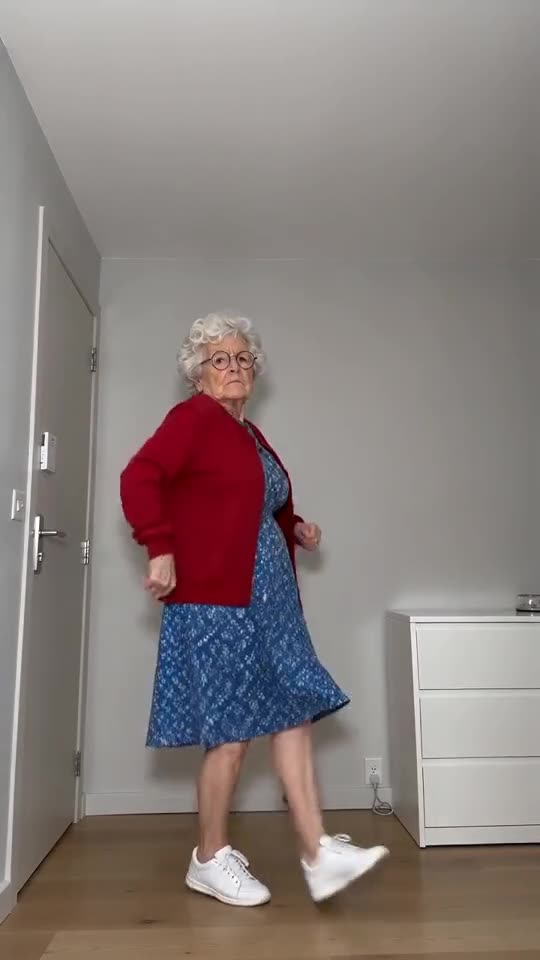
What you should see, in order
- Hopping on one leg, rapping twice on an invisible door and swinging to face right.
- A turn back to the front, one heel kicked forward, both arms flung wide and down.
- The left side to the camera, hopping with small kicks.
- The back to the camera, another knock, then a glare over the shoulder.
- Facing front again, hopping from foot to foot with the heels kicking forward.
- A freeze, arms stretched down and out, eyes on the lens.
What you can try
- Render again. Runs differ, and one often lands closer than another.
- Go for a photo with a serious, neutral face, as a wide grin in the photo may carry into the video.
- Remember the 5-second preview crams the moves together, whereas the 11-second video has more space.
- Not fixed? Send us an email at support@tiptoeinginmyjordans.dev with a link to the video.
Questions people ask
Why does my dancer stay still?
Some calm portraits get read by the model as a person striking a pose. Render again, or use a photo with a neutral face, and a real dance becomes likelier.
Does a missing move make the video a failure?
No. Only a run that never finishes counts as failed, and then the credits are returned. When a video completes but a move is missing, that is ordinary output.
Can the dancer be made to smile?
No. The scene wants a deadpan face the whole way through, and no setting changes that.
Your turn: a Toc Toc dance with your photo
Send in a photo and your deadpan dance is on its way. Nothing to subscribe to, nothing watermarked.
Make my video