Can I use the original sound with my Toc Toc dance AI video?
Updated:
Short answer
It should. Your video lasts 11 seconds, the same as the original clip, and the first move lands on the beat at second zero. Grab the silent copy, then use Add sound in TikTok or Reels to pick the original. Inside our file you'll find an AI party beat, never the song.
What makes the timing match
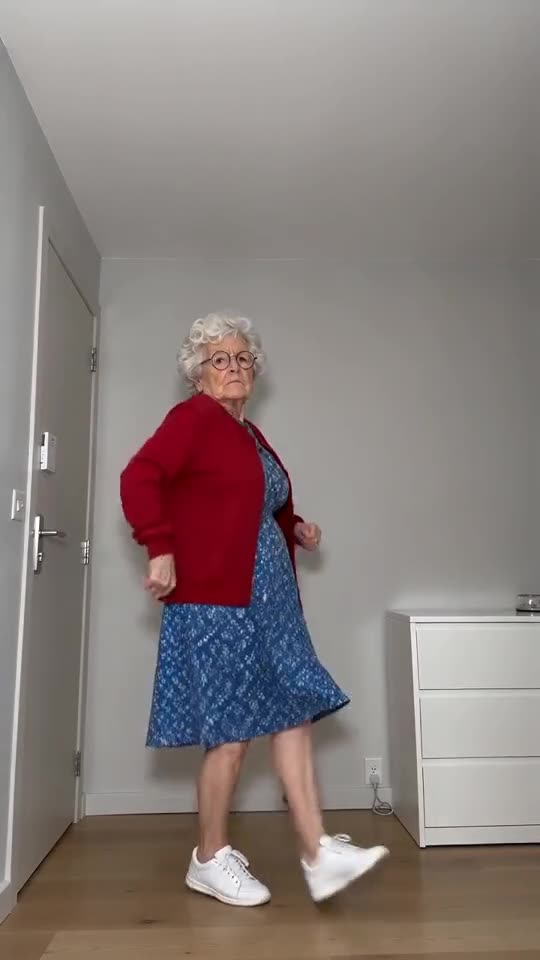
In the three clips we compared, the same sound starts from its very first second. Our scene follows that timing, so the first knock, the turn to the back, the heel kicks and the final freeze hit the same seconds as in the original. Because every run is a new AI result, small gaps can appear.
Four steps for putting the original sound on
- Save the silent version from My videos.
- Create a new post in TikTok, Reels or Shorts and pick that file.
- Tap Add sound, search the app's own sound library for the original and play it from second one.
- Set the volume where you like it and post.
What our file sounds like
A full video comes with an AI-generated party instrumental that bounces along on a steady beat, with a light knock whenever the dancer knocks. You won't hear lyrics or speech, and the original song isn't in it. The audio is produced together with the picture, so it varies between runs.
Licensing
Rights to the original recording stay with its owners. Apps license the sounds in their own libraries for use on the platform, so selecting it there is how it's meant to be done. Legal advice isn't something we can give, and what you post is your call and your responsibility.
How to put the original sound on your video in TikTok
Every video you make here comes with an AI-made soundtrack of its own. If you would rather use the trending sound, add it inside TikTok when you post. You can also grab the version without music from My videos and lay the original sound over that.
- Open the original post of this trend in TikTok, tap the sound name at the bottom of the screen, then tap Use this sound.
- Tap Upload and choose the video you downloaded from us.
- Open Volume and turn the video's own sound down to 0, or use the Download without music version from My videos.
- To line the clip up with the beat, trim the sound so it starts at 0 seconds, then post.

Need the sound to start somewhere else? This short video shows how to trim it.

Video: How To Trim Sound On TikTok 2026 (Very Easy) by Software Solutions on YouTube
Questions people ask
Can I bring my own audio file to this site?
No, there's no audio upload on the site. Any sound you want can go on afterwards, using an app or a video editor.
Will the free preview match the sound?
No. The 5-second preview races through the same moves, so it can't match the sound. Judge the face and moves on the preview and the timing on the full video.
The beat sits a little off. What do I do?
Check that the sound starts at its first second. If it still wanders, render the clip again or shift the sound slightly in the app's editor.
Your turn: a Toc Toc dance with your photo
Send in a photo and your deadpan dance is on its way. Nothing to subscribe to, nothing watermarked.
Make my video