How can I turn my own photo into a Ramalama reveal with AI?
Updated:
Short answer
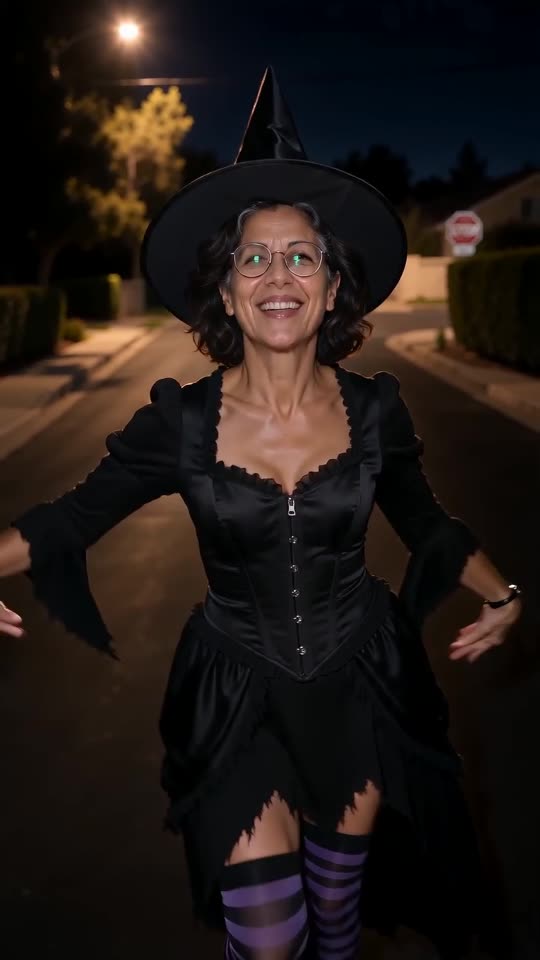
Send a picture of yourself, a friend or a pet and pick a costume and a place; Tip Toe AI wraps the low walk and the tilt-up around it. Look over the 5-second preview, and when it works, 100 credits produce the 12-second 720p version. Nothing to type.
The steps
- Scroll to the [generator](/ramalama#generator) on this page and drop in one photo.
- Choose a costume and a place. The defaults are the witch and the night street.
- Choose the shape. 9:16 suits TikTok, Reels and Shorts, and 16:9 suits YouTube and computers.
- Confirm photo consent and sign in with Google.
- Play the free preview (5 seconds, 480p) to judge the face and the outfit.
- Run the full video at 100 credits and save the MP4.
What is already decided
A single fixed scene contains the floor-level camera, the footsteps, the tilt-up, the pose and the final close-up. Your photo only settles who walks in, and the two options settle how they look.
Because the beats copy the viral clip's pacing, the reveal arrives near the spot where the whisper falls in the original sound. Even so, faces and movement vary slightly between renders.
After rendering
The clip waits in My videos, ready to download or share. Before you post, the sound guide shows how to attach the trending audio.
Questions people ask
Is any prompt writing needed?
No. Camera, pacing and setting are fixed. Your choices are the photo, the costume, the place and the frame.
How long should I wait?
A few minutes usually, a bit more when the site is busy. A progress bar gives an estimate.
Will the render survive if I close the tab?
Yes. It runs on our servers and the result is saved in My videos.
Is a full-length photo required?
No. A clear face works, since legs, shoes and costume are generated. A full-length picture is useful only with the own-clothes option.
One photo is all your Ramalama reveal needs
Pick a picture, watch the free preview and step into your costume. The finished video carries no watermark, and nothing here is a subscription.
Make my video