What picture should I upload for a What Stop Sign video?
Updated:
Short answer
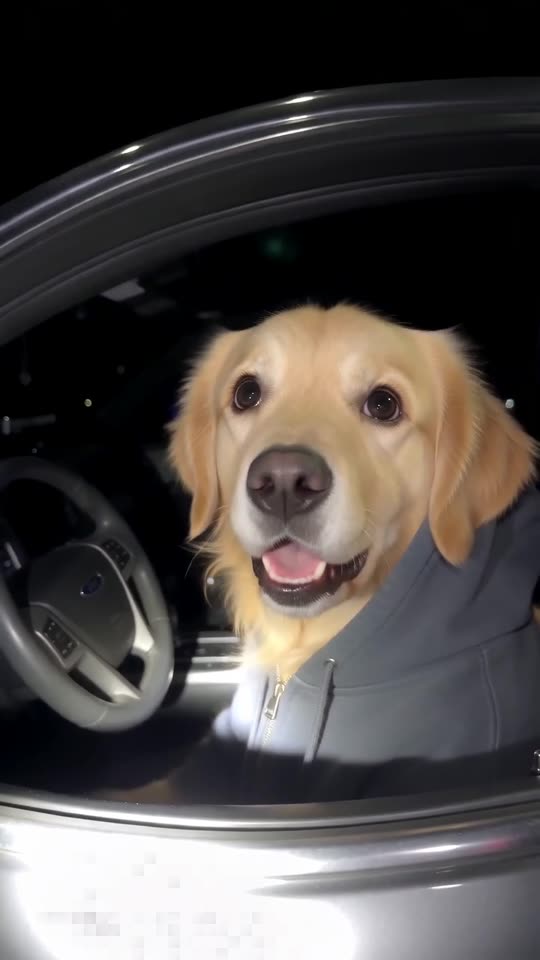
Choose one sharp photo of one pet, its face large and turned toward the camera with both eyes open. Save it as JPG, PNG or WebP under 10 MB, between 300 and 6000 pixels per side. The hood frames the face in the video, so a head-and-chest shot works best.
Technical limits
- Formats accepted: JPG, PNG, WebP.
- Each photo can be up to 10 MB.
- Both sides must be over 300 pixels and under 6000.
- Width divided by height has to land between 0.4 and 2.5. Panoramas and thin strips fail.
- Only the driver needs a photo.
Photos that come out best
- Close framing: head and chest, with the face taking about a third of the image.
- Looking your way: both eyes visible, because the stare carries the joke.
- Natural light: daylight or a bright room, no heavy filters.
- Ears in view: it helps the model keep them out from under the hood.
Photos to avoid
- Several animals sharing the frame.
- Dim or blurry shots.
- Frames grabbed from the bodycam video or from anyone else's post.
- Anything showing a child, a celebrity or a famous cartoon character.
The rules for people
If you drive yourself, use an adult photo that is yours. Nobody from the original video may appear. Before you upload, read Photo Consent and Acceptable Use.
Questions people ask
Is the backdrop of my picture important?
No. The car and the night come from the template, not from your photo.
My pet is already wearing a hoodie in the photo. Is that a problem?
Not at all. The video puts it in whichever hoodie colour you choose.
My upload was rejected. What now?
A message under the box gives the reason: size, format or shape. Fix it and try again. Rejected photos cost nothing.
Put your pet behind the wheel
Send one pet photo and an innocent driver in a hoodie comes back. No watermark, nothing to subscribe to.
Make my video