CapCut tutorial or Tip Toe AI for What Stop Sign: which should you use?
Updated:
Short answer
A CapCut tutorial walks you through building the clip yourself in the app. Tip Toe AI runs in a browser: one pet photo in, a new 11-second performance out, with a free preview first. Choose CapCut if you enjoy editing, or Tip Toe AI if all you have is a photo.
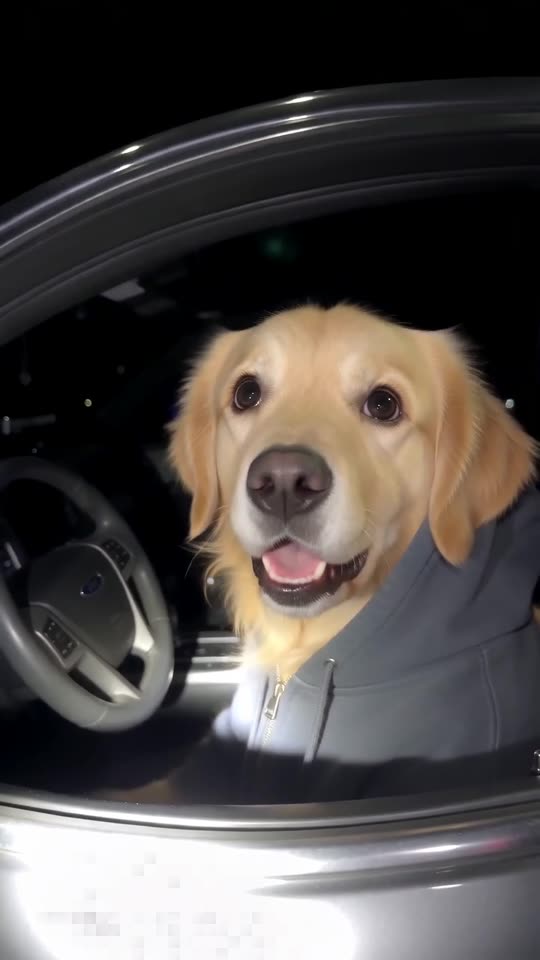
Side by side
- You provide: CapCut wants your own footage and some editing; Tip Toe AI wants a single pet photo.
- You get: CapCut returns your footage cut to a pattern. Tip Toe AI produces a fresh 11-second 720p clip with generated motion.
- Choices: Tip Toe AI lets you pick a grey, black or red hoodie.
- Cost: CapCut has free and paid features, so check its current plans. Tip Toe AI gives a free preview, then 100 credits per full video, with packs from $9.90.
Which to choose
Go with CapCut if you like editing and already have footage. Go with Tip Toe AI if you have none, want a finished clip from one photo, or would rather not install anything. You can also do both: download the MP4 here and add captions in CapCut.
Questions people ask
Did CapCut or TikTok build this tool?
No. Tip Toe AI stands alone, with no link to CapCut, TikTok or whoever started the trend.
Can the two be combined?
Yes. Save your MP4, open it in CapCut, and then add captions or the bodycam audio.
Which one costs less?
It depends on what you already own. With footage and the app in hand, a tutorial costs next to nothing. With only a photo, Tip Toe AI starts you off with a free preview.
Put your pet behind the wheel
Send one pet photo and an innocent driver in a hoodie comes back. No watermark, nothing to subscribe to.
Make my video