How do I turn my photo into a Mandem in Disguise video?
Updated:
Short answer
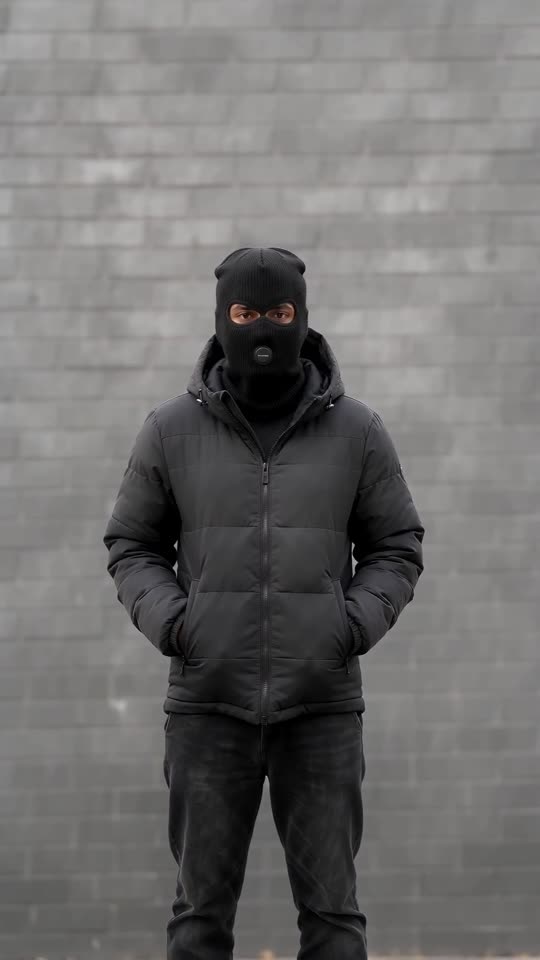
Add one photo of an adult and Tip Toe AI builds the wall, the flash and the black outfit around them. Choose a wall and an outfit, then spend 100 credits on the 10-second 720p video. Nothing needs typing, and you can close the tab while it renders.
The steps
- Begin in the generator and add your photo.
- Set the scene: grey brick, red brick, a garage door or a lamp-lit night street, wearing a black puffer, tracksuit or trench coat.
- Choose the frame: tall 9:16 for phones and short-form feeds, wide 16:9 for YouTube.
- Agree to the photo consent and log in with Google.
- Top up credits if your balance is empty. Packs are one-off and never renew.
- Render the full video for 100 credits, download the MP4, and lay your sound over it.
What is already decided
The fixed camera, the smile, the flash at about one second and the slow deadpan nods are baked into one scene that follows the viral format. There's no prompt box: your photo only decides who gets disguised.
Beats arrive in the same order on every run, so a sound placed once stays close to the action. Faces and small details still differ between runs.
Afterwards
Once finished, your clip sits in My videos for downloading or sharing by link. For the sound, see the sound guide.
Tip Toe AI is independent and has no connection to anyone behind the original line.
Questions people ask
Do I have to write anything?
No. The scene and camera are preset. You only choose a photo, a wall, an outfit and a frame shape.
Do I need to be standing in my photo?
It helps. A standing, front-facing picture lets the model keep your build in the disguise.
Does leaving the page stop the render?
No. It carries on, and the finished video appears in My videos.
Tall or wide: which one?
9:16 suits TikTok, Reels and Shorts, and 16:9 suits YouTube and desktop screens. Both are open to every video.
Flip into the disguise yourself
Add a single photo and you're the one who smiles, flashes and returns masked. No subscription is involved, and the finished video carries no watermark.
Make my video