A Veo prompt for Mandem in Disguise with nobody credited
Updated:
Short answer
Paste the prompt below into Veo and use a picture of an adult as reference image 1. It lists the beats from the smile to the slow nods and asks for an instrumental track. No artist, creator or song is named. Count on several attempts, or let Tip Toe AI handle it.
Copy this prompt
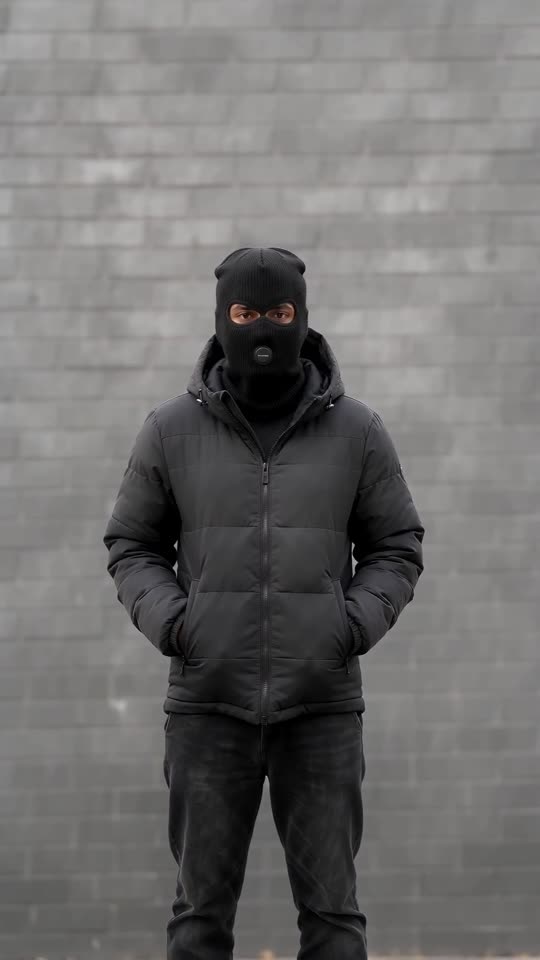
A vertical 9:16 video of about 10 seconds from one locked camera, set before an unmarked grey brick wall beside a quiet pavement in daylight. The adult from the reference image, keeping their face, eyes, hair and build, smiles at the camera. A camera flash fires and the frame whites out. In the next shot the same person stands in the same spot in a black knit balaclava showing only the eyes, a black puffer jacket and black trousers, hands in pockets, nodding slowly with a deadpan stare, then pulls the zip up to the chin as the camera creeps in. No weapons, gang signs or lettering. Sound: a dark instrumental bass beat with a soft camera click, no lyrics. No on-screen text, no logos, no watermark.
Using it well
- Attach a photo of an adult as reference image 1, and never a child or a pet.
- Leave out artist names, creator names and song titles. Many filters refuse them, so the text describes only what happens.
- A written prompt can blend or drop beats. Check the order of what you get, and run again if one is missing.
- Video tools change fast, so confirm the length and aspect ratio yours allows and edit the first line to suit.
Questions people ask
Why is nobody credited in the prompt?
Names often trigger filters, and a prompt that contains them may be refused or cause rights trouble. This page stands apart from whoever posted the clips.
Will it match the original beat for beat?
Only loosely. A written prompt gives the model no reference clip, so the flash and the swap drift. Tip Toe AI passes along the viral flip's timing as a guide, which is why its clips hold together better.
Will I need to type a scene description here?
No. Tip Toe AI runs a preset scene: add a photo, press the make button, and you're done.
Flip into the disguise yourself
Add a single photo and you're the one who smiles, flashes and returns masked. No subscription is involved, and the finished video carries no watermark.
Make my video