Hit the Road Dude AI prompt for Seedance: a second-by-second script
Updated:
Short answer
Paste the prompt below into Seedance and add your photo as the reference image. It is a second-by-second timeline with the lines, a camera line and a sound line, and it names nobody from the original clip. Adjust the first line to your plan's clip length, or use Tip Toe AI.
The prompt
Make a 15-second vertical clip from the reference image that looks as if someone standing beside a parked vehicle filmed it on a phone.
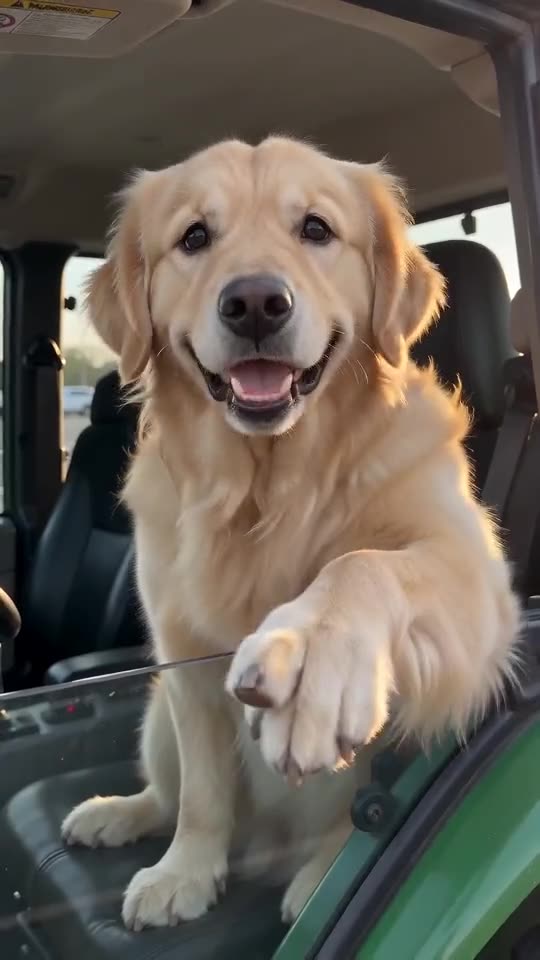
Image 1 is the DRIVER: keep the face, hair or fur, skin tone, body shape and clothing, and never turn them into somebody else. If the DRIVER is an animal, keep its species; it sits upright in the driver's seat, front paws on the steering wheel, and talks. If the DRIVER is a toy or a drawn character, bring it to life and keep its colours and shape.
Setting: a grassy bank by a calm country pond in the afternoon, a dirt track, tall trees; a plain white pickup truck with no badges, logos or readable plate has stopped on the track, driver's side toward the camera, window open.
Camera: one handheld phone shot at standing height with hard cuts between wide, medium and close-up framings.
Timeline (the DRIVER talks with their hands throughout, lips in sync with every line): 0-2s wide shot of the driver's side, the DRIVER jabbing a finger at the camera: "Who told you you could fish here?" 2-4s the off-camera young man, unsure: "I thought it was state property." 4-5s hard cut to a close-up of the DRIVER's hand on the window sill, finger aimed at the camera: "State?" 5-6.4s wide shot: "This?" (the man says "Yeah") 6.4-7.4s medium shot, pointing at the camera: "State?" 7.4-10.5s wide shot, the DRIVER points down and waves the person away: "Hit the road, dude. This ain't no state property, this is private property." 10.5-13.3s medium shot, then a wide shot pointing at the camera again; the man says "Oh, okay." 13.3-15s tight close-up of the DRIVER's face: "What is your name anyway? I want your name."
Audio: only the spoken lines, quiet ambient sound and an idling engine. No music.
No captions, no logos, no watermark.
Tips for using it
- Add the Driver photo as Image 1, and label it Image 1 if your tool asks for tags.
- Keep real names out of the timeline. The prompt describes a generic driver, so nobody from the original clip is imitated.
- Plans and limits differ between tools and change often. Set the first line to the clip length and shape your plan allows.
Questions people ask
What model makes the videos on this site?
The videos here come from Seedance 2.0 Mini by ByteDance through an API. This page is independent, though, and not affiliated with ByteDance or the original poster.
Will the clip be identical to the meme?
No. Faces, voices and timing change with the tool, the model version and your photo, so treat the prompt as a starting point.
Is a prompt needed to make this on Tip Toe AI?
No. Tip Toe AI runs a fixed scene: add one photo and press the make button.
Make your own Hit the Road Dude video
Upload one photo and make your own video. No subscription, no watermark.
Make my video