How do I get a Spooky Scary Skeletons AI video out of my own photo?
Updated:
Short answer
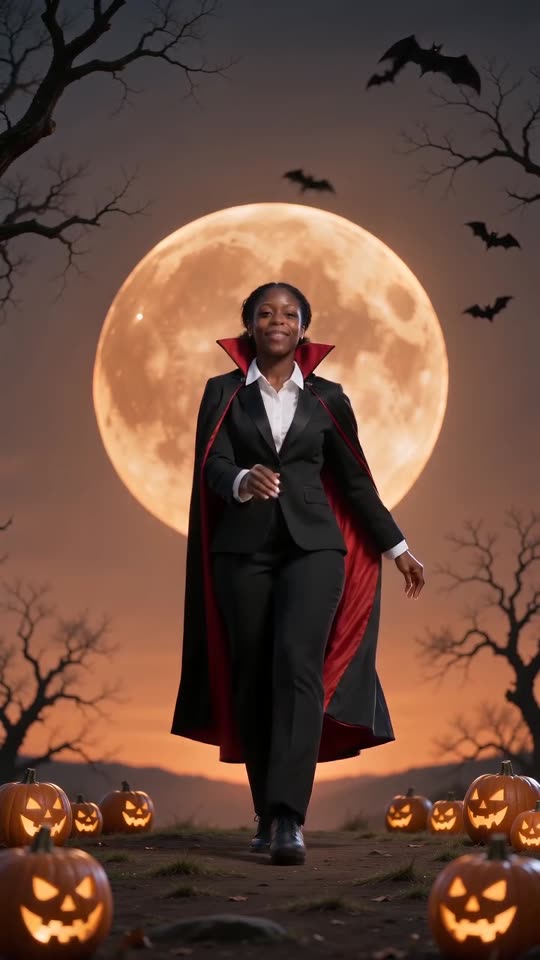
Upload a picture of yourself, a friend or a pet, and Tip Toe AI places that subject in the vampire scene. First comes the 5-second preview. After that, 100 credits buy the 11-second 720p video. You write no prompt, you buy no costume, and the page can be closed while it renders.
The steps
- Scroll to the [generator](/spooky-scary-skeletons#generator) here and pick your photo.
- Frame shape: 9:16 is for TikTok, Reels and Shorts. 16:9 is for YouTube and computer screens.
- Confirm photo consent, then log in through Google.
- Try the free preview (5 seconds, 480p) to see how the face and motion come out.
- Make the full video for 100 credits and save the MP4.
- Lay the trending sound over it in TikTok or Reels, from its very first second.
What the preset scene takes care of
A single fixed scene holds the vampire suit, the cape, the orange moon and the choreography. Nobody types a prompt here, and your photo only chooses the dancer.
Because the moves run in a set order and timing, the clip reads as the real trend instead of some random video. Faces and movement still vary a bit between runs.
After rendering
You will find the video under My videos, ready to download or to share by link. Before posting, open the sound guide to see how the trending sound gets attached.
Tip Toe AI works on its own and has no link to the trend's original posters.
Questions people ask
Is prompt-writing part of this?
No. Scene, costume and camera are already decided. The photo and the frame shape are all you decide.
Do I need to dress up for the picture?
No. We add the suit and cape ourselves. An ordinary, sharp picture of your face works best.
Will rendering carry on when I leave the page?
Yes. Our servers do the work, and your account keeps the finished clip in My videos.
Which format is best?
For TikTok, Reels and Shorts choose 9:16. For YouTube and desktop choose 16:9. The free preview runs in both.
Your own Spooky Scary Skeletons clip starts here
Send in a single photo and a vampire dance with your face comes back. No watermark, nothing to subscribe to.
Make my video