A Veo prompt to copy for the Spooky Scary Skeletons vampire dance
Updated:
Short answer
Bring the prompt below to Veo and use your photo as the reference. Short paragraphs cover the subject, outfit, setting, camera, moves and sound. Since tools filter them, no song, artist or person is named. Trim the length to match your plan, or have Tip Toe AI produce the finished clip.
The prompt
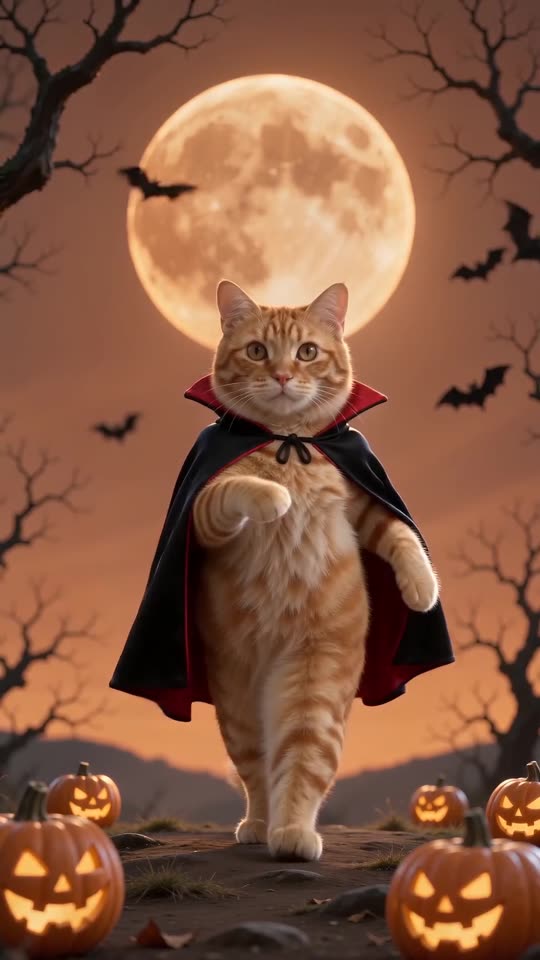
Generate a portrait-format video, 11 seconds long. The person in the reference image is the star: they do a goofy vampire version of the Halloween dance. Keep this person's face, hair, skin tone and build identical to the image. Dress them in a black suit and white shirt, with a long black cape that has a tall collar and a vivid red lining.
Place them on a hilltop on a Halloween night, under an orange-red sky and a huge glowing orange full moon. Bats flutter around, twisted bare trees stand close by, and glowing carved pumpkins line the ground. Add no text and no logos.
Keep the camera still and low, directly in front, with the whole body in view from start to finish and no cuts.
Choreography, in sequence. One: spring off one foot, bring up a knee, then fling the leg sideways. Two: drop into a springy half-squat and pump stiff skeleton elbows with the beat. Three: shimmy the shoulders and shake the hips. Four: skeleton elbows again, plus a whip of the head. Five: stomp, lift a knee across the body, end with one arm high and a playful grin.
Audio: spooky, upbeat Halloween instrumental, xylophone melody, no singing, no lyrics, nothing spoken. No text, no logos, no watermark.
Tips for using it
- Where your Veo plan lets you, add the photo as the reference or opening image.
- Don't include song, artist or real-person names. Describe the motion instead.
- Allowed lengths and shapes depend on your plan and keep changing, so match the first line to yours.
Questions people ask
Does Veo create its own music?
The last line lets it produce audio, though it won't be the trending song. Add that yourself within TikTok or Instagram.
Will it look exactly like the trend?
Not precisely. Each tool has its own reading of the moves, and your photo changes both the face and the motion.
Is a prompt needed for this site?
No. Tip Toe AI uses a fixed scene, so you upload a photo and hit the button.
Your own Spooky Scary Skeletons clip starts here
Send in a single photo and a vampire dance with your face comes back. No watermark, nothing to subscribe to.
Make my video