Why are the Player and the Hype partner swapped in my Alors on Danse AI video?
Updated:
Quick answer
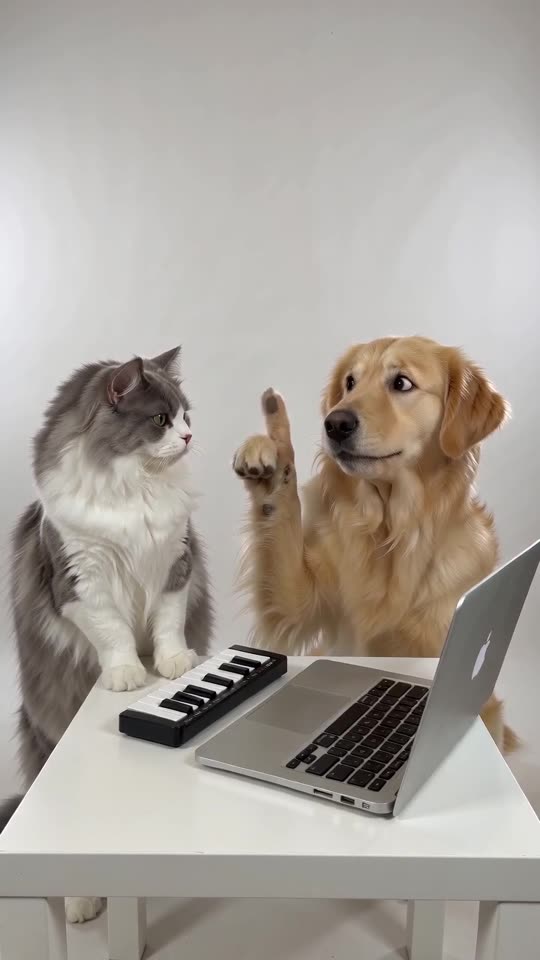
Roles depend on the photo slots. Slot one is the Player, who works the keyboard, and slot two is the Hype partner, who points and cheers. When the wrong character is at the keys, press Swap photos in the generator and confirm with the free 5-second preview.
What goes wrong
- Photos in the wrong slots: this explains most cases.
- Alike subjects: a pair with matching hair, fur or clothes is harder for the model to tell apart.
- Both touch the keys: now and then the Hype partner taps the keys briefly, and that is expected.
The remedy
Look at the label above each slot; if your photos are reversed, swap them, then run the preview. If the two characters still merge, choose photos with clearly different colours. Each slot in the generator shows its role name.
FAQ
Where do I find Swap photos?
It sits beneath the two photo slots in the generator and activates when both are filled.
Is there a fee for swapping?
None. It only rearranges your inputs before a run starts.
Can a finished video have its roles changed?
No, a finished video cannot be edited. Swap the photos and make a new one.
Your own Alors on Danse clip
Drop in two photos and get a keyboard studio video of your own. No subscription, no watermark.
Make my video