What are the steps to turn two photos into an Alors on Danse AI video?
Updated:
Quick answer
The input is a pair of photos, with the Player in one and the Hype partner in the other. Tip Toe AI stages the studio around them. A free 5-second preview comes first; after that, 100 credits pay for the 15-second 720p video. Writing a prompt is never required, and rendering keeps running if you close the page.
From photo to MP4
- Start at the generator on the template page. Put the Player photo in the first slot and the Hype partner photo in the second; both must be filled.
- Decide on the aspect ratio. TikTok, Reels and Shorts want 9:16, while YouTube and desktop screens do better with 16:9.
- Confirm photo consent with the checkbox and sign in via Google.
- Watch the free preview (5 seconds, 480p). Both faces and the motion should be easy to judge there.
- Spend 100 credits to render the whole video, then save the MP4.
Why you never need a prompt
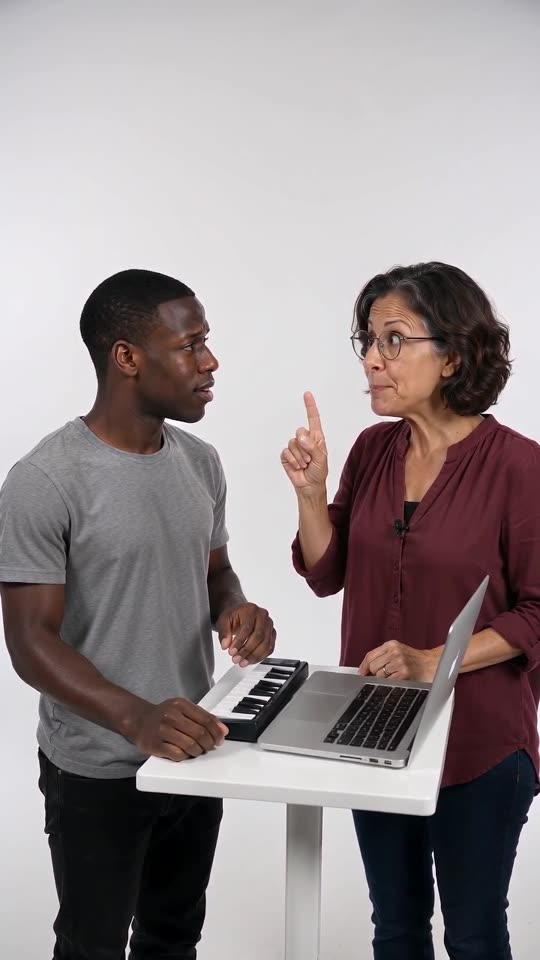
Everything in the picture is preset: the white studio, the table with its laptop and mini keyboard, the beatbox opening, the pause and the finger-pumping build-up. Your photos settle just one thing, which is who plays and who hypes.
Beats come in a set order, timed to the viral clip, which makes the output look like the trend. Faces and movement still shift slightly between runs.
Afterwards
Find the finished clip under My videos to download it or copy its share link. If you want the trending sound on top, the song guide shows how to line it up.
Tip Toe AI works independently of the original sketch, the song's artist and every social platform.
FAQ
Is a prompt part of the process?
Not at all. The scene and the camera are preset, and the choices left to you are the photos, the format and the place.
Could one photo serve as both roles?
It is better to avoid that. The characters would look alike and the model may merge them, so upload two distinct photos.
If I leave the page, does rendering continue?
It does. Our servers keep going, and the result lands in My videos on your account.
Which ratio suits me?
TikTok, Reels and Shorts call for 9:16; YouTube and desktop call for 16:9. Either works for the free preview.
Your own Alors on Danse clip
Drop in two photos and get a keyboard studio video of your own. No subscription, no watermark.
Make my video