A Seedance prompt for Alors on Danse that you can copy, with no names in it
Updated:
Quick answer
Put the text below into Seedance and add your two photos as the reference images. It reads as a short timeline plus one camera line and one sound line, and no song or artist is named, since tools filter those. Change the first line to suit the length your plan gives you, or skip prompts and use Tip Toe AI.
Prompt text
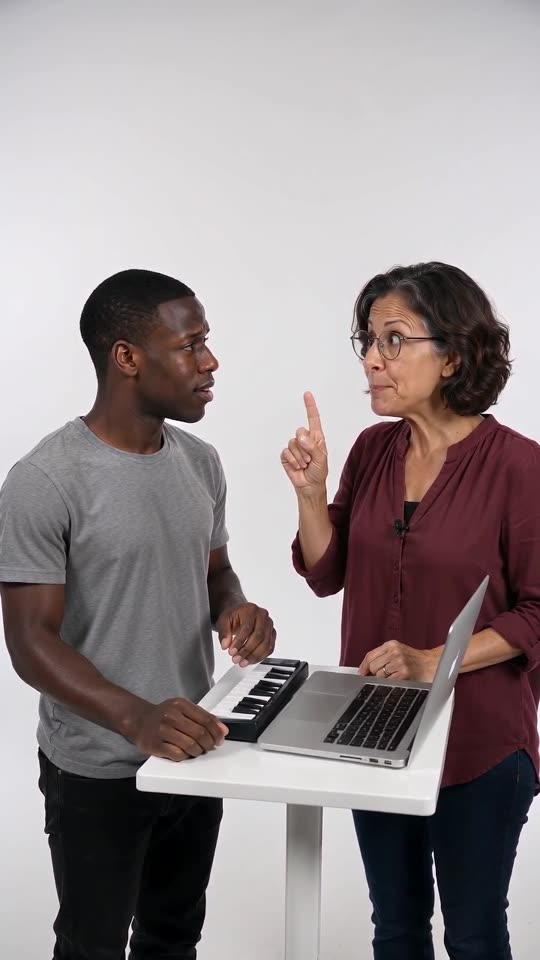
Create a 15-second comedy video from the reference images. The camera is one static, eye-level medium shot, and the setting is a bright, seamless white photo studio. Set on a little white table: an open silver laptop and a compact mini synth keyboard. Keep any readable text and logos out of the frame.
Image 1 is the PLAYER, standing at the table on the left. Image 2 is the HYPE partner, standing right next to them. Each character keeps the face, fur or hair, colours, body shape and clothes of their own image; never swap or blend their looks, and add no third character. An animal subject stands on its hind legs at the table and uses its front paws.
Timeline: from 0 to 3s the HYPE partner bends toward the table, stabs a finger at the keys and mouths a beatbox groove. Between 3 and 6s, the PLAYER plays on with both hands and a blank face as the HYPE partner nods and pokes a finger down on each beat. In 6 to 8s, silence falls and the PLAYER lifts their head in confusion: "huh?". Over 8 to 13s, the HYPE partner's finger keeps pumping upward without a break, and then two fingers go even faster while a synth line is hummed. In 13 to 15s a loud synth riff blasts as the PLAYER hits the keys, and the HYPE partner freezes in a cool pose.
Sound plan: first a beatbox over an original electronic drum loop, then a short pause, next a hummed synth line, and last a bright synth riff. No singing, no lyrics.
No captions, no logos, no watermark.
Tips for using it
- Feed in the Player photo first and the Hype partner photo second; if your tool wants tags, label them Image 1 and Image 2.
- Names often get filtered, so keep songs and artists out of the timeline.
- Limits differ from tool to tool and change often. Edit the first line to the length and shape your plan supports.
FAQ
Which model generates the videos on this site?
The videos here come from Seedance 2.0 Mini, reached through an API. The site itself is independent, with no affiliation to ByteDance or the original creators.
Will the result look identical to the trend?
No. Faces, movement and timing depend on the tool, the model version and your photos, so use the prompt as a starting point.
Is prompting required on this website?
No. Tip Toe AI uses a preset scene. You add two photos and press the button.
Your own Alors on Danse clip
Drop in two photos and get a keyboard studio video of your own. No subscription, no watermark.
Make my video