Which photos should I pick for my Alors on Danse AI clip?
Updated:
Quick answer
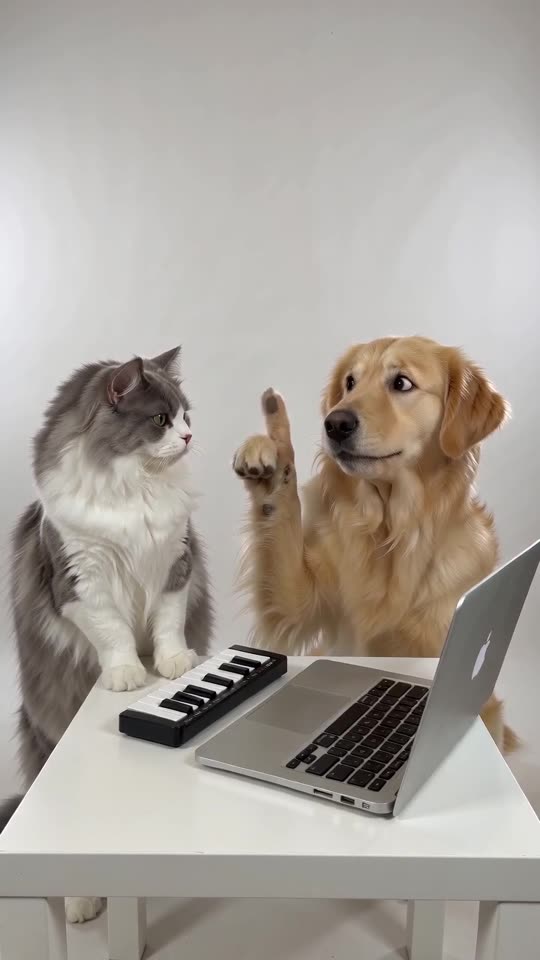
Two clear photos are needed, and each fills a role: Player or Hype partner. A photo should hold a lone person, pet, toy or drawn character, lit well and turned toward the lens. JPG, PNG and WebP are fine up to 10 MB, with every side from 300 to 6000 pixels.
File limits
- JPG, PNG or WebP, 10 MB at most per file.
- Every side measures 300 to 6000 pixels.
- Aspect ratio (width over height) stays inside 0.4 to 2.5.
- Both photos are required.
What a good photo looks like
- A lone subject in each photo, turned toward the lens.
- Decent light and a crisp face. Sunglasses and masks cause trouble.
- Show the upper body if you can, since the Player works the keys with both hands.
- Contrast between the two makes them easier to keep apart than twins.
Who may appear
Adults who agreed, pets that belong to you, and toys or drawn characters that are yours. Celebrities, famous characters and anyone under 18 cannot be used. More rules are laid out in the photo consent rules and the acceptable use policy.
Slot order
The Player, who stays cool at the keyboard, takes the first slot. Next comes the Hype partner, the one pointing, beatboxing and cheering. Wrong way round? Press Swap photos.
FAQ
Does a group photo work?
No. One subject per slot, so crop a group photo to a single person or pet first.
Do I need a white background behind the subject?
No, because the studio scene is generated. What matters is that the subject is clearly visible, not what is behind it.
How long do you hold on to my photos?
Nobody else sees them, and a scheduled job removes them 14 days after upload.
Your own Alors on Danse clip
Drop in two photos and get a keyboard studio video of your own. No subscription, no watermark.
Make my video