Which song does Alors on Danse use, and will my sound sync?
Updated:
Quick answer
The trend's audio is a blend: Stromae's 2010 dance hit “Alors on danse” plus the beatbox intro from the sketch. Our video does not contain that song. We pace the clip to the first 15 seconds of the viral one, so the trending sound fits once you attach it in TikTok or Instagram.
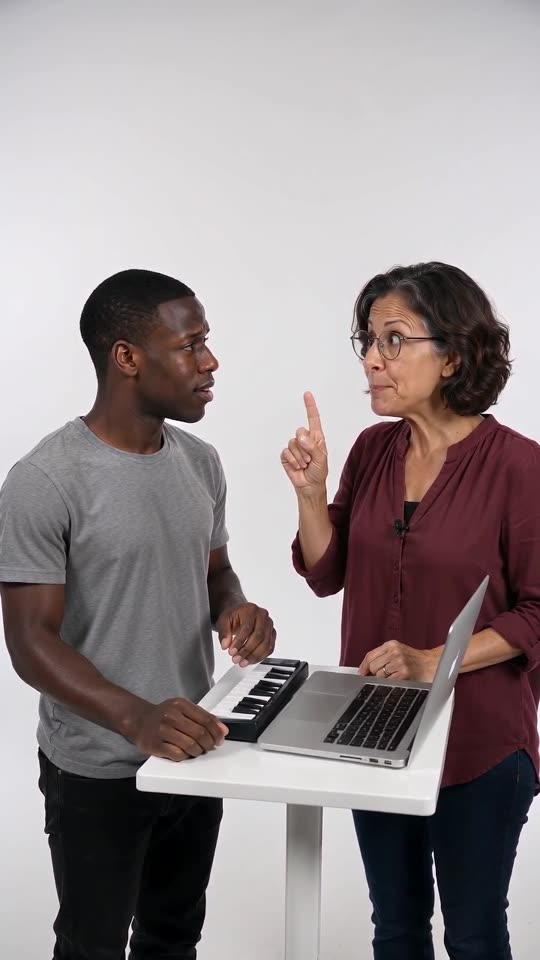
The audio in our clip
First comes three seconds of beatboxing from the Hype partner, then an electronic beat. It stops for the Player's “huh?”. After that the Hype partner hums a bouncy synth line, and a bright synth riff blasts at the end. Lyrics are absent. The audio is produced together with the video, which means it varies from run to run.
No part of the original recording is used, and the scene never needs its melody.
Adding the trending sound
- Save the silent version from My videos.
- Open TikTok, Instagram Reels or Shorts, begin a new post and select the file.
- Select the trending sound and start playback at second zero.
- Many AI versions run longer than ours, which is 15 seconds, so trim the sound to match before you post.
How well it fits, and where it slips
Three viral AI versions gave us a chance to compare. Their first six seconds are the same. After the pause some edits stretch or shrink by a second or two. Ours follows the edit with the most views, so beatbox, beat and the riff drop all arrive on time. Pick a different edit and the ending may slip.
Each platform licenses its own sound library for use in its apps, which makes picking the sound there the intended route. Treat this as information, not legal advice; whatever you post is your responsibility.
How to put the original sound on your video in TikTok
Every video you make here comes with an AI-made soundtrack of its own. If you would rather use the trending sound, add it inside TikTok when you post. You can also grab the version without music from My videos and lay the original sound over that.
- Open the original post of this trend in TikTok, tap the sound name at the bottom of the screen, then tap Use this sound.
- Tap Upload and choose the video you downloaded from us.
- Open Volume and turn the video's own sound down to 0, or use the Download without music version from My videos.
- To line the clip up with the beat, trim the sound so it starts at 0 seconds, then post.

Need the sound to start somewhere else? This short video shows how to trim it.

Video: How To Trim Sound On TikTok 2026 (Very Easy) by Software Solutions on YouTube
FAQ
Is there somewhere to upload the song on the site?
There is no audio upload on this site. Any sound can be laid over the finished file later, in an app or an editor.
Why is the original song absent?
Its rights belong to others, and our scene asks for no lyrics and no copied music. The usual way to get the trending sound is inside the app.
Why does the clip stop at 15 seconds?
The video model makes at most 15 seconds per clip. So we follow the first 15 seconds of the viral one, which ends at the riff drop.
Your own Alors on Danse clip
Drop in two photos and get a keyboard studio video of your own. No subscription, no watermark.
Make my video